

DJI Dock 3 in Winter: 7 Rules for Reliable Cold-Weather Flights
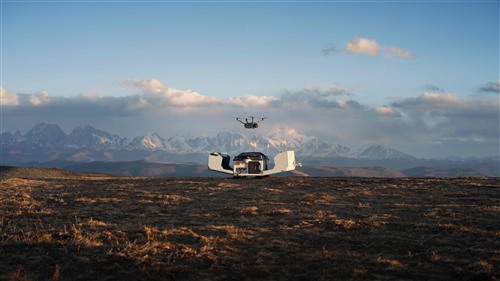
Cold, wind, snow and reduced visibility increase the risk of automated missions. Follow seven practical DJI rules for more reliable Dock 3 winter operations.
Winter operations involve more than a lower temperature. Automated DJI Dock 3 missions must also account for wind, moisture, icing risk, reduced effective battery endurance and poorer visibility. DJI therefore published seven practical recommendations for more dependable Dock 3 operations with Matrice 4D and Matrice 4TD aircraft.
1. Let the weather decide whether the mission launches
Before every mission, check wind, snowfall, fog and visibility along the entire route, not only at the dock. Wind may appear acceptable at ground level but increase substantially with altitude, raising energy use and making the return flight more difficult.
DJI recommends enabling Prevent Flight Using Weather Forecast Data in the FlightHub 2 project settings. This allows the system to block an automated launch when forecast conditions exceed the configured safety limits. Automation is only useful when it can also cancel a mission at the right time.
2. Inspect the propellers' hydrophobic coating
Matrice 4D Series propellers have a hydrophobic coating that helps reduce ice accumulation in humid conditions below 5 °C. Fine cracks caused by prolonged sunlight exposure may not immediately make a propeller unsafe, but they reduce the coating's anti-icing effectiveness.
- inspect every propeller before the winter season,
- replace propellers when coating cracks or damage are visible,
- DJI recommends replacement after 450 total flights to reduce icing risk.
3. Increase the battery reserve for Return-to-Home
Low temperature reduces available battery performance, while a headwind can sharply increase consumption on the return leg. An unnecessarily high RTH altitude may send the aircraft into stronger wind, so it should be based on actual terrain and obstacles rather than the assumption that higher is always safer.
- increase the RTH battery reserve in windy regions,
- reduce RTH altitude where this remains safe and compliant,
- use smooth control inputs and gentle flight modes during manual operation.
4. Use only verified routes at night
Low ambient light limits visual positioning and obstacle-sensing performance. Night is therefore not the right time to validate a new automated route. Confirm buildings, cables, trees and other obstacles in daylight, then monitor the environment and telemetry throughout the night mission.
Make sure no obstacle exceeds the planned flight altitude or RTH altitude. The Matrice 4TD thermal camera improves target detection, but it does not remove the operating limits of the navigation sensors.
5. Check firmware compatibility before flight
The aircraft, Dock 3 and all accessories should run current, mutually compatible firmware. Updates address known issues, improve stability and can change the behaviour of safety functions. After a major update, perform a controlled test before returning the system to fully automated missions.
6. Monitor actual battery health
Cycle count is only one indicator. Use FlightHub 2 and the Health Management System to monitor warnings, voltage deviations and other battery-health data. Remove a battery from service immediately if you find swelling, cracks, enclosure damage or repeated HMS warnings.
Winter readiness should also include the availability of serviceable spare batteries. KopterWorx offers Matrice 4D/4TD aircraft, batteries and charging equipment.
7. Recheck every accessory and fastener
Obstacle-sensing radar, speakers, spotlights and other accessories must be correctly connected and mechanically secure. Temperature cycles and vibration can expose a loose connection. A simple alignment mark across the screw and housing makes any movement easier to spot during inspection.
Quick winter checklist
- weather and automatic launch restrictions have been checked,
- propeller coatings show no damage,
- RTH altitude and battery reserve match the wind and terrain,
- the route was verified in good visibility,
- firmware across all components is compatible,
- batteries have no HMS warnings or physical damage,
- accessories are correctly connected and secured.
Would you like help reviewing your configuration or preparing for automated winter missions? Explore DJI Dock systems and accessories or contact KopterWorx for advice.
Recommendation source: official DJI Dock 3 Winter Operations Guide. Always follow applicable regulations, the manufacturer's instructions and actual conditions at the site. Do not force a flight when the system reports an abnormal condition.
-
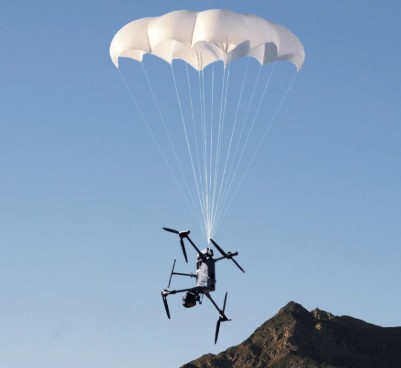 DJI AP100 Parachute for Matrice 400: Safety and C5/C6 Guide AP100 adds an integrated emergency parachute to Matrice 400. Understand deployment limits, maintenance and the important difference between C5 and C6 configurations.
-
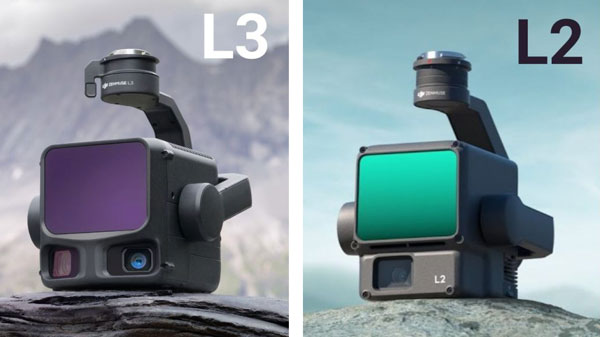 DJI Zenmuse L2 vs L3: Which LiDAR System Is Right for You? Compare DJI Zenmuse L2 and L3 by range, returns, cameras, accuracy and aircraft compatibility. Match the LiDAR workflow to your survey requirements.
-
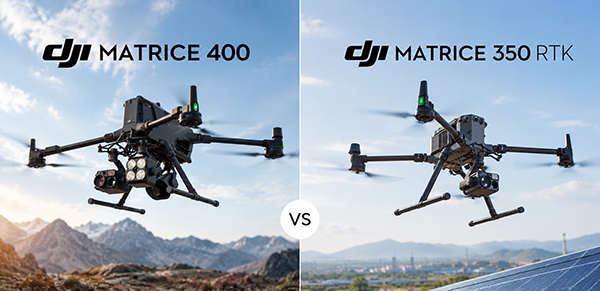 DJI Matrice 400 vs Matrice 350 RTK – Complete Comparison DJI Matrice 400 vs Matrice 350 RTK: compare flight time, payload capacity, obstacle sensing, transmission and Zenmuse compatibility to choose the right enterprise drone platform.
-
 Drone as First Responder: How DJI Dock Changes Alarm Response Drone as First Responder sends an aircraft to the incident before the ground team. See how DJI Dock, Matrice 5TD and FlightHub 2 reshape alarm response.
Powered by Mirasvit Magento 2 Extensions
- DJI Dock 3 in Winter: 7 Rules for Reliable Cold-Weather Flights
-
 DJI Matrice 5T Is Here: 59 Minutes, Native 1K Thermal and IP55
- Drone as First Responder: How DJI Dock Changes Alarm Response
-
 DJI Dock 4 and Matrice 5TD: What 25-Second Battery Swaps Change
- DJI Matrice 400 vs Matrice 350 RTK – Complete Comparison