

DJI AP100 Parachute for Matrice 400: Safety and C5/C6 Guide
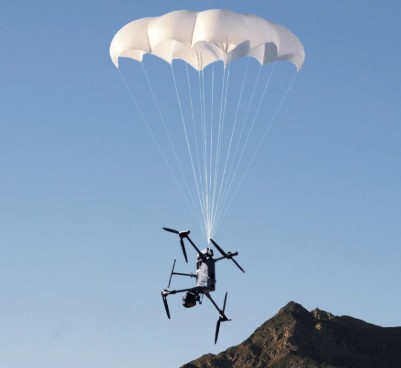
AP100 adds an integrated emergency parachute to Matrice 400. Understand deployment limits, maintenance and the important difference between C5 and C6 configurations.
DJI AP100 Parachute is an emergency recovery system for DJI Matrice 400. It combines aircraft integration, independent backup power and automatic or manual deployment. Its purpose is to reduce the consequences of an uncontrolled descent, while the pilot remains responsible for planning and operating the complete aircraft system.
Key specifications
| Specification | DJI AP100 |
|---|---|
| Compatible aircraft | DJI Matrice 400 |
| Weight with bracket | Approximately 935 g |
| Maximum supported take-off weight | 15.8 kg |
| Automatic deployment response | ≤600 ms under DJI test conditions |
| Stabilised descent speed | ≤5 m/s under DJI test conditions |
| Minimum effective deployment height | 30 m |
| Protection rating | IP55 |
The response-time figure describes the measured sequence from FTS triggering through motor-stop confirmation to gas-generator activation. It is not a promise that a canopy fully inflates within that time. Height, environment, aircraft configuration and the applicable test conditions matter.
Automatic and manual deployment
AP100 can respond to detected flight anomalies or supported geocaging events. The pilot can also initiate deployment using the DJI Pilot 2 interface. DJI FlightHub 2 supports remote FTS deployment in specified regions with the required network and equipment configuration. Check the current manual for your system before relying on any particular trigger method.
Know the low-altitude limits
DJI specifies 30 m as the minimum effective vertical deployment height under its test conditions. Below that height the parachute may eject without having sufficient distance to inflate and stabilise the descent. DJI also describes situations near the Home Point, including Cleaning Mode conditions, in which automatic deployment is disabled.
Include these limits when planning take-off, landing, facade work or operations close to structures. An emergency device does not remove the need to select a suitable flight route and controlled operating area.
C5 and C6 are different configurations
| Configuration | DJI’s stated route |
|---|---|
| Compatible existing Matrice 400 with AP100 | C5/UK5 configuration for the applicable operational requirements |
| Matrice 400 (C6) Worry-Free Plus Combo | Factory-certified C6/UK6 route |
Adding AP100 to an existing standard Matrice 400 does not by itself produce a C6-certified aircraft. DJI identifies the factory-certified C6 combo for that requirement. The correct aircraft configuration also does not by itself authorise a particular operation: the operator must satisfy the applicable declaration, competence, airspace and operational requirements.
Payload and sensing implications
Include the parachute, bracket, battery, payload and all accessories in the take-off mass calculation. Installing AP100 does not increase the aircraft’s maximum permitted mass. DJI states that the downward and backward mmWave radars are disabled when AP100 is fitted, reducing small-obstacle sensing in those directions.
Inspection and replacement
Use the current installation instructions, including the required gimbal safety tether, and include the parachute in pre-flight checks. Record activation and service information in the aircraft maintenance log. DJI specifies complete replacement after deployment and recommends retirement three years after activation, irrespective of normal self-check results.
Questions before specifying a system
- Which exact aircraft configuration and operation does the project require?
- How do the parachute mass and sensor changes affect the intended mission?
- Is there sufficient deployment height and a suitable ground-risk plan?
- Are the installation, tether, firmware and maintenance requirements understood?
AP100 reduces risk but cannot guarantee that people, property, aircraft or payload will avoid damage. Treat it as one component of a complete professional operating system.
Choose your setup at KopterWorx
Explore DJI AP100 and DJI Matrice 400, or contact KopterWorx to confirm the right aircraft and parachute configuration for your project.
-
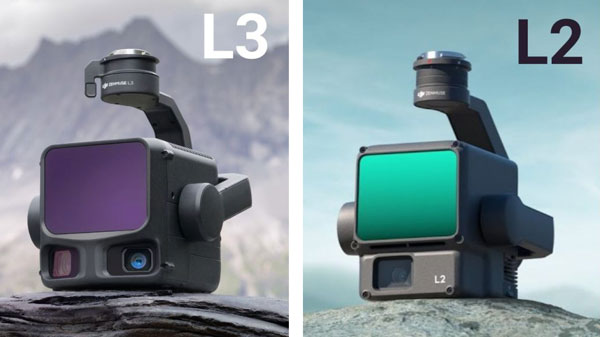 DJI Zenmuse L2 vs L3: Which LiDAR System Is Right for You? Compare DJI Zenmuse L2 and L3 by range, returns, cameras, accuracy and aircraft compatibility. Match the LiDAR workflow to your survey requirements.
-
 Drone as First Responder: How DJI Dock Changes Alarm Response Drone as First Responder sends an aircraft to the incident before the ground team. See how DJI Dock, Matrice 5TD and FlightHub 2 reshape alarm response.
-
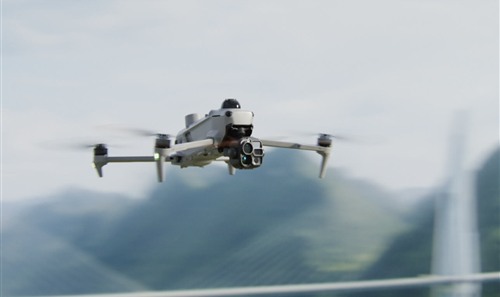 DJI Matrice 5T Is Here: 59 Minutes, Native 1K Thermal and IP55 DJI Matrice 5T brings 59-minute flight time, native 1280 × 1024 thermal imaging, IP55 protection and a new combination of LiDAR, radar and advanced cameras. See what it means for demanding operations.
Powered by Mirasvit Magento 2 Extensions
- DJI Matrice 5T Is Here: 59 Minutes, Native 1K Thermal and IP55
- Drone as First Responder: How DJI Dock Changes Alarm Response
-
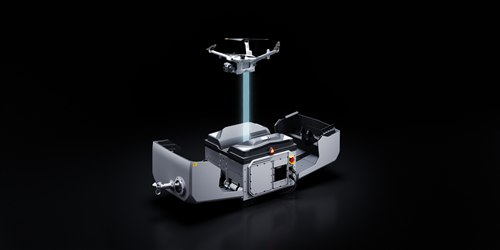 DJI Dock 4 and Matrice 5TD: What 25-Second Battery Swaps Change
-
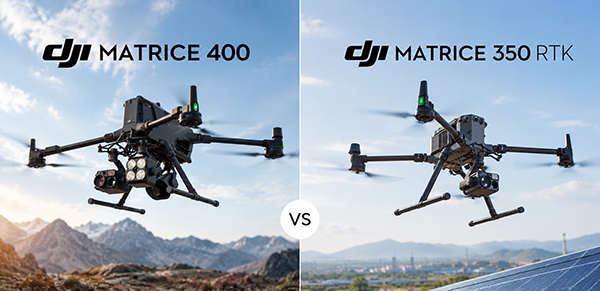 DJI Matrice 400 vs Matrice 350 RTK – Complete Comparison
- DJI Zenmuse L2 vs L3: Which LiDAR System Is Right for You?