

DJI Mavic 4 Pro Battery Life: Flight Time and Planning
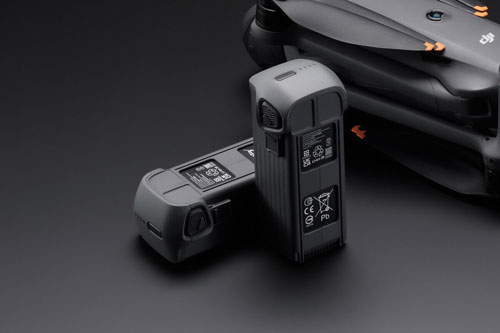
DJI lists up to 51 minutes of flight and 45 minutes of hovering for Mavic 4 Pro. Learn what these test figures mean for planning a real shoot.
DJI Mavic 4 Pro has a published maximum flight time of 51 minutes, while its maximum hovering time is 45 minutes. These are different laboratory measurements, not guaranteed shooting time. This guide explains the published figures and practical planning; it does not claim an independent flight test.
Flight time and hovering are not the same measurement
| DJI specification | Published figure |
|---|---|
| Maximum flight time | 51 minutes under DJI’s stated test conditions |
| Maximum hovering time | 45 minutes under DJI’s stated test conditions |
| Battery capacity | 6654 mAh |
| Battery energy | 95.3 Wh |
DJI’s flight-time test uses constant forward flight and continues until battery depletion. A working mission also includes take-off, positioning, filming, return and landing with an appropriate reserve. Do not treat the laboratory maximum as a timer for when to start returning.
What changes your usable flight time?
- Wind and route: the return leg may need more energy than the outward leg.
- Speed and manoeuvres: repeated acceleration and repositioning change consumption.
- Temperature and battery condition: assess the battery and app warnings before each flight.
- Mission geometry: climbing, distance from the landing area and time spent setting up shots all use the same battery budget.
Plan the return before the shot
Choose a suitable take-off point and a return route before flying. Monitor the app’s battery and return estimates throughout the flight, particularly if wind direction or your landing location changes. A fixed percentage copied from another pilot is not a substitute for assessing the current mission.
How many batteries should you take?
For a short visit, one battery may cover a carefully planned shot list. Longer sessions benefit from spare batteries and a charging plan. Separate the essential shots from optional variations so that a battery change does not interrupt the most important part of the work.
When comparing kits, consider the charger and charging hub as well as the number of batteries. Power supply, battery temperature and the way a hub charges its batteries determine how quickly the kit becomes ready again.
Battery care between jobs
Allow batteries to reach a suitable temperature before charging and follow the current DJI manual for transport, storage and inspection. Intelligent Flight Batteries manage self-discharge during storage. Do not assume a battery left in a bag remains at the charge level shown immediately after a previous job.
The useful comparison
Compare the same mission, weather, battery condition and landing reserve. Record your own usable capture time across repeated jobs instead of presenting an unsupported universal “real-world” number.
Choose your setup at KopterWorx
See the DJI Mavic 4 Pro Fly More Combo and 512GB Creator Combo to compare complete field kits.
Powered by Mirasvit Magento 2 Extensions
-
 DJI Matrice 5T Is Here: 59 Minutes, Native 1K Thermal and IP55
-
 Drone as First Responder: How DJI Dock Changes Alarm Response
-
 DJI Dock 4 and Matrice 5TD: What 25-Second Battery Swaps Change
-
 DJI Matrice 400 vs Matrice 350 RTK – Complete Comparison
-
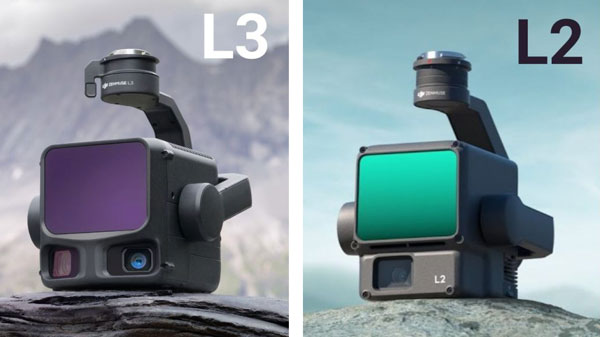 DJI Zenmuse L2 vs L3: Which LiDAR System Is Right for You?